










Star Citizen Twitch Drops: How to Claim the Phoenix Insignia Display

Link your accounts, watch four hours between 14 and 27 October, and claim the Phoenix-themed holographic display before the campaign closes.
The Phoenix’s familiar insignia is becoming a holographic decoration you can earn during RSI Discovery Month. From 14 to 27 October 2026, watching eligible Star Citizen streams on Twitch for a total of four hours unlocks the Phoenix Insignia Display. The design draws on the fiery emblem aboard the classic Constellation Phoenix, bringing that detail out of the ship and into a standalone display.
There are three parts to collecting it: connect the right accounts, watch a stream with Drops enabled, then claim the reward on Twitch. Finishing the viewing requirement unlocks the Drop, but you still need to press Claim before it can arrive in your RSI Hangar.
Connect the account that should receive the display
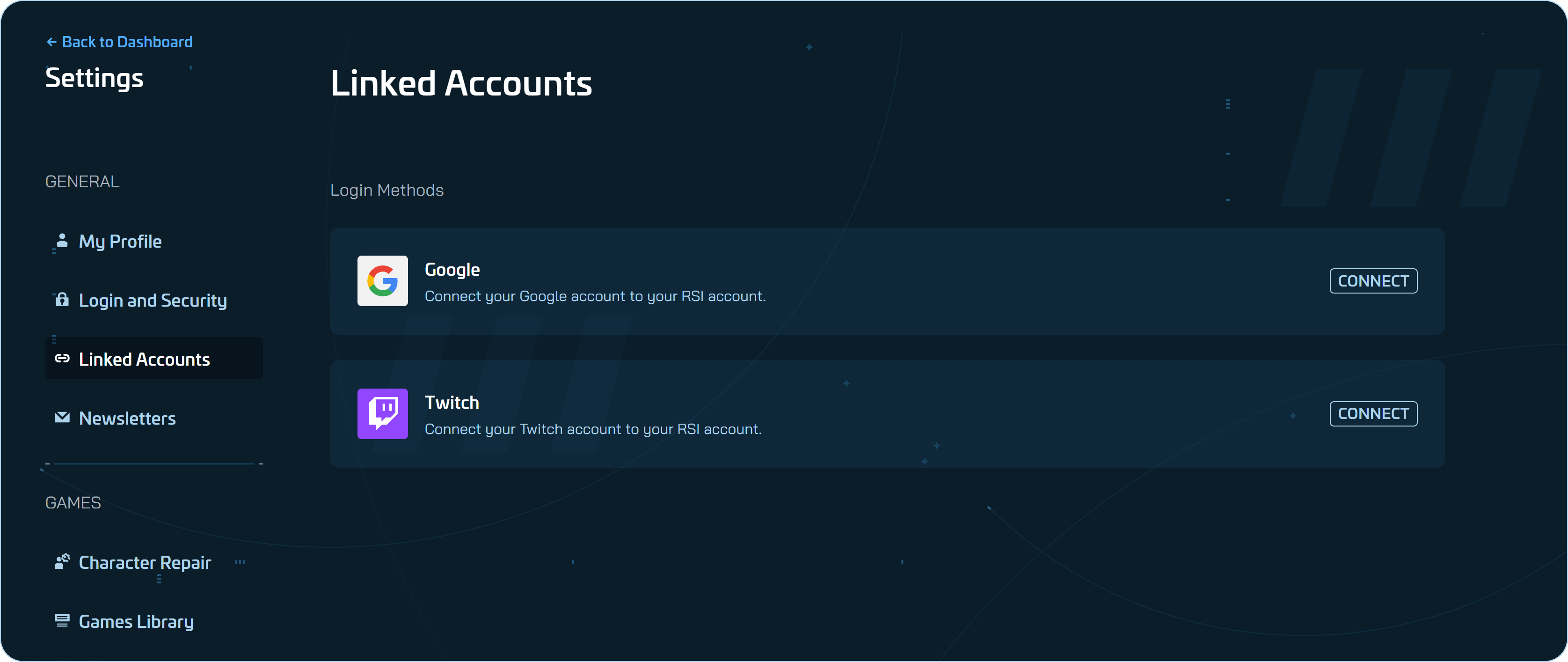
Sign in to the RSI account where you want the reward to arrive. Open your Account Dashboard, choose Settings, then Linked Accounts. Select Twitch, sign in to your Twitch account when redirected, and authorise the connection.
The link works one-to-one: an RSI account can connect to only one Twitch account, and a Twitch account can connect to only one RSI account. If the wrong account is attached, unlink it in RSI’s Linked Accounts settings and repeat the connection process with the correct account.
A regular Twitch account is enough. You do not need Amazon Luna or Prime Gaming to take part.
Watch four hours, then claim the Drop
- Choose an eligible broadcast. During the 14–27 October campaign, watch a Star Citizen live stream marked Drops Enabled. Any community streamer who opts into the campaign can host eligible viewing; check for that marker before settling in to watch.
- Check your progress. Stay signed in to the linked Twitch account and use the Twitch Drops Inventory page to see your progress towards the four-hour total.
- Claim the display. Once the viewing requirement is complete, click Claim in Twitch’s Drops Inventory. The reward should then appear in the linked RSI Hangar shortly afterwards.
Leave enough time to finish your four hours and claim the Drop before 27 October. Exact opening and closing times have not been announced, and delivery to your Hangar may take a little time.
If Twitch shows the reward but your Hangar does not
Start with the account connection: confirm that the Twitch account used for the viewing is linked to the RSI account you are checking. Then make sure the Drop was actually claimed on Twitch, rather than only unlocked by reaching four hours. Finally, check that you are signed into the intended RSI account.
If the unlocked reward still has not appeared after a while and those checks are correct, contact RSI Player Support for help.