


















Star Citizen Game Access: Choose Your Protected Pledge Before 1 November

Which package should stay with your account? How the access lock affects starter bundles, Concierge rewards, Buy Back and ship upgrades.
If you have spent years upgrading a starter package, that small Game Access lock deserves a look before you rearrange your hangar. Since 1 October 2026, the pledge that secures your access to Star Citizen or Squadron 42 cannot be melted or gifted while it is protected. You can still fly its ships and apply eligible ship upgrades. What you cannot do is treat that package as freely movable store credit.
You have until 1 November 2026 to change which eligible pledge carries that protection. After the selection window closes, the choice becomes final. For anyone with several packages, an old Squadron 42 bundle or a Concierge reward, a quick check now can prevent an unwelcome surprise later.
Which pledge gets the lock?
The system protects access to each game separately, using as few pledges as possible. A single package containing both games can cover both. If your Star Citizen and Squadron 42 access sit in different packages, there can be two protected pledges.
An eligible pledge that was already non-meltable takes priority. Otherwise, the automatic selection uses the oldest eligible pledge. The important word is eligible: it must actually contain access to the relevant game. A standalone ship, a paint or an insurance item cannot take the lock simply because you would prefer to keep it.
The lock applies to the pledge, including its contents. It does not remove the ship from your hangar, strip its extras or prevent normal eligible CCUs. Other packages retain their usual melt and gift rules; they are not all locked simply because you own several game copies.
Check your selection before 1 November
- Sign in to your RSI account, open the account menu and choose My Hangar.
- Choose Game Access in the left-hand menu. This view lists the pledges on your account that provide game access.
- Find the orange lock labelled SC Game Access or SQ42 Game Access. Check both if you own both games.
- To move protection, use Select SC or Select SQ42 on another eligible pledge. The selection changes immediately.
- Return to the list and confirm that the intended pledge now carries the appropriate lock.
You can change your selection more than once during the window. When protection moves, the previously selected pledge returns to its normal eligibility for melting or gifting. That does not remove restrictions it already had: a permanently non-meltable reward stays non-meltable.
The new Game Library in account settings also shows your games. During the selection window, clicking a game takes you to its access-selection page. The dedicated Game Access view is where you make the change, even though the lock also appears elsewhere in My Hangar.
Choose around the package you intend to keep
For a player with one eligible starter package, there may be no decision to make. The package already provides access and remains usable, including its ship. With several packages, think about which one you expect to keep intact and which you might eventually want to reclaim or gift. Moving protection onto a package you regularly rebuild would work against that flexibility.
For example, suppose an older bundle contains both Star Citizen and Squadron 42, while a second package contains Star Citizen alone. You can move the Star Citizen selection to the second package, but that does not free the old bundle if it still provides your protected Squadron 42 access. Both game selections need checking before you assume a package is available to move.
A newly added or restored package can be selected during the window if it includes the required game access. There is no need to obtain another package when an existing eligible one already suits your plans. Standalone ships do not solve an access-selection problem unless their pledge actually includes the game.
Buying a ship is not always buying the game
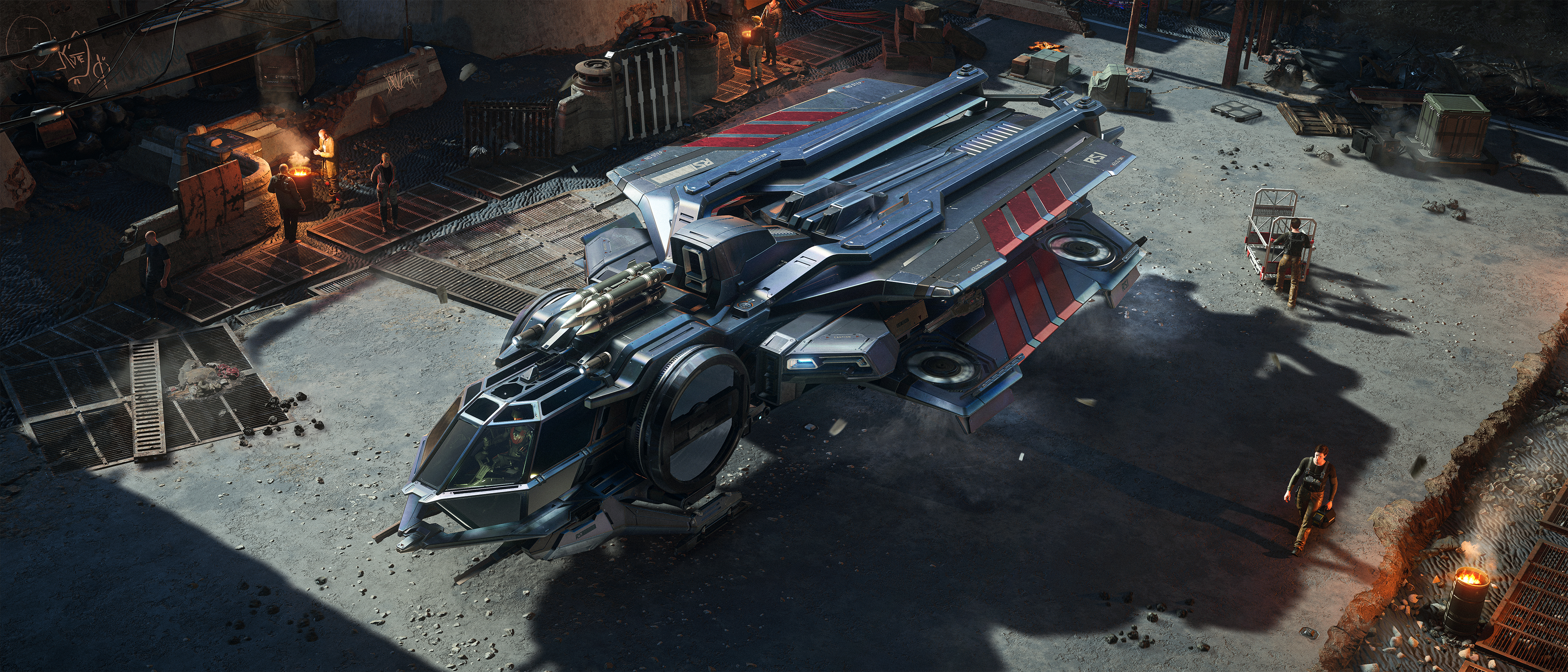
For a first purchase, read the exact offer’s contents before choosing the ship. A standalone ship adds a ship; a game package must explicitly include access to the game you want. An upgrade changes an eligible ship already on your account—it is not another complete ship or a substitute for game access. Paint and insurance inclusions answer different questions again.
For Squadron 42, check whether it is actually named among the contents rather than assuming a Star Citizen package includes the campaign. Our Star Citizen and Squadron 42 comparison explains what each game offers. If your existing package already covers the game you want, there is no reason to buy access twice just to change ships.
Concierge: check the reward, not just the status
Concierge status and the contents of the High Admiral reward are not interchangeable. The reward is what grants access. Since 18 March 2022, that reward has included Star Citizen; Squadron 42 was also included for qualifying backers who already held it before that date.
Check your actual reward contents rather than assuming that every Concierge account has both games through it. Where the reward includes access, it is selected automatically because it is already non-meltable. A game not included in the reward follows the normal selection rules using another eligible pledge.
Moving protection away from a High Admiral reward generally offers no extra freedom. The reward remains permanently non-meltable, while the package you select instead becomes protected too. Leaving access on the reward avoids unnecessarily restricting another package.
Buy Back, upgrades and gifts
A restored package gets its restoration date
Buying back an old package does not make it the oldest pledge for automatic selection. The restored pledge uses the date it was restored, rather than its original purchase date. If you want an eligible restored package to carry access protection, select it manually before the window closes.
You can still upgrade a protected ship
Normal eligible Cross-Chassis Upgrades remain available on protected pledges. Applying a CCU changes the ship without removing access protection from the package. The pledge and its contents remain yours, but the melt and gift restriction remains attached.
If you are planning an upgrade chain, keep the starting package in mind as well as the ship you intend to finish with. Our guide to applying Star Citizen upgrades covers the upgrade process; an upgrade does not make a protected package transferable.
An unclaimed gift can still count
A pending gift that remains in your hangar can count towards game access. The preference is to protect an outright-owned eligible pledge. If a pending gift is your only access pledge, the system cancels that pending gift before protecting the pledge. If another eligible pledge is available, protecting that alternative lets the pending gift remain claimable.
There is also a separate gifting change for pledges purchased after the new gifting system takes effect on 30 October 2026: gifts must be designated at purchase, and the purchaser cannot use a pledge designated as a gift. Once received, it can be upgraded normally by the recipient. Existing pledges retain their previous gifting functionality, subject to eligibility and the Game Access lock. That distinction matters when comparing an older package with a newly acquired one.
If your expected package is missing
First, expand its contents and check that it includes access to the game you are trying to assign. Referral, giveaway and subscriber rewards only qualify when game access is actually included. Neither the ship itself nor other extras can substitute for it, and support cannot make an ineligible pledge eligible.
If the package qualifies but the selection page is not behaving correctly, try another browser or temporarily check whether a browser extension is interfering. For a persistent problem, contact RSI Support with the affected pledge details. Do that while the selection window is still open rather than assuming a later change will be available.
The useful check is straightforward: confirm which pledge secures each game, make sure it is one you intend to keep, and verify the final selection before 1 November. Your fleet can still evolve through eligible upgrades without leaving that account decision to chance.